
Carto
GitHub: divyekant/carto
What it does
Section titled “What it does”Carto scans your codebase, builds a layered semantic index using LLMs, and stores it in Memories for fast retrieval. A full CLI with TTY-aware output, JSON envelope contract, and 15 commands covers everything from interactive setup to streaming exports. It produces skill files (CLAUDE.md, AGENTS.md, .cursorrules) that give AI coding assistants — Claude Code, Codex, Cursor, and others — instant, structured context about your project — architecture, patterns, conventions, and cross-component wiring.
Key Features
Section titled “Key Features”- 5-phase indexing pipeline — Scan, Chunk+Atoms, History+Signals, Deep Analysis, Store
- 7-layer context graph — Map, Atoms, History, Signals, Wiring, Zones, Blueprint — each layer captures a different dimension of understanding
- Tree-sitter AST parsing — Language-aware chunking for Go, TypeScript, JavaScript, Python, Java, Rust (30+ languages detected)
- Two-tier LLM strategy — Fast tier (Haiku) for high-volume atom summaries, deep tier (Opus) for architectural analysis
- Tiered retrieval — mini (~5KB), standard (~50KB), or full (~500KB) context depending on task complexity
- Incremental indexing — SHA-256 manifest tracks file changes so subsequent runs only process what changed
- Skill file generation — Produces
CLAUDE.mdand.cursorruleswith architecture, patterns, and conventions - Module detection — Automatically identifies project boundaries from go.mod, package.json, Cargo.toml, pom.xml, pyproject.toml
- 15-command CLI —
index,query,modules,patterns,status,serve,projects,config,init,completions,export,import,logs,upgrade, plus shell completions for bash/zsh/fish - JSON envelope + TTY detection — All commands wrap output in
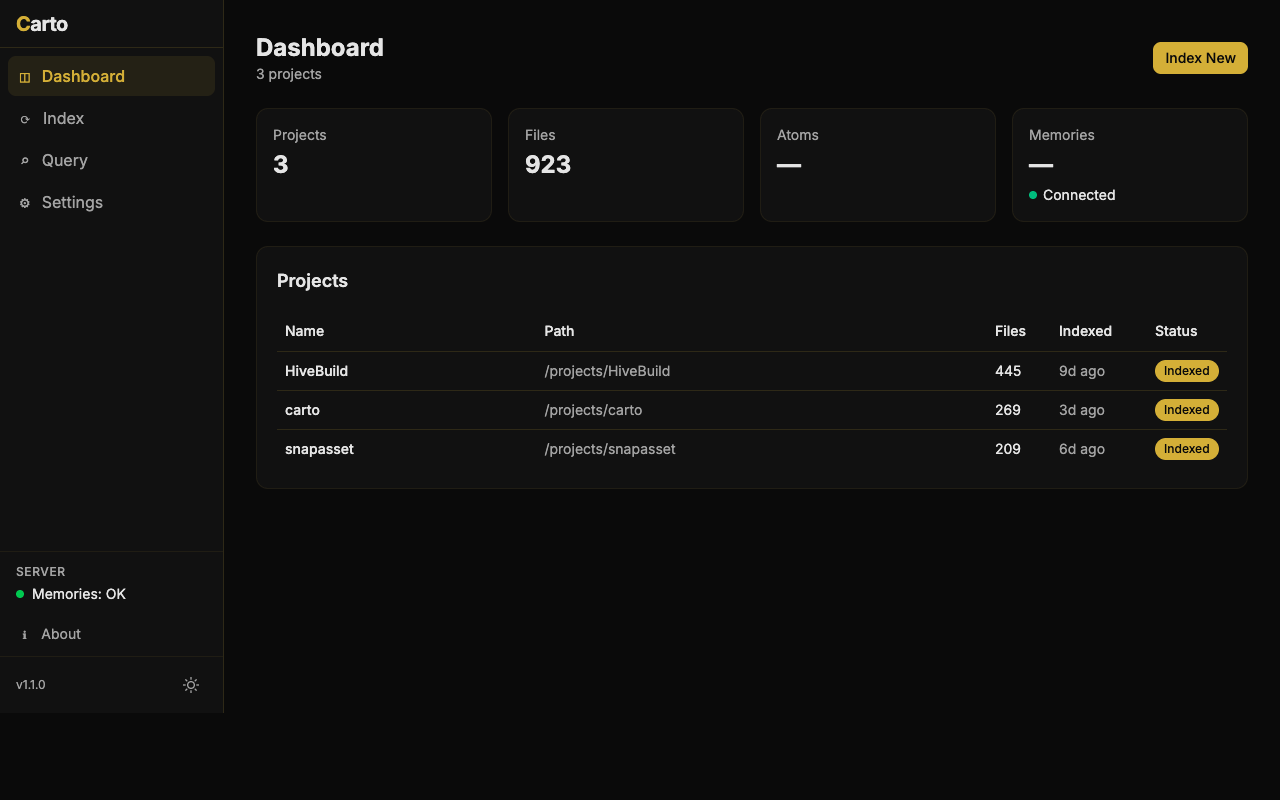
{"ok": true, "data": ...}for scripts; human-friendly tables in the terminal - Built-in web dashboard — Stat cards, always-expanded sidebar, settings UI, quick query suggestions with relevance badges
- Natural language queries — Ask questions about your codebase and get answers from the index
- Typed errors — 5 error codes mapped to exit codes for reliable scripting
- Confirmation guards — Destructive operations require
--yesflag, preventing accidental data loss
How it fits
Section titled “How it fits”Carto is the intelligence layer that gives other tools deep understanding of a codebase. Hermes reads Carto’s index to generate audience-specific documentation. Delphi uses codebase context to generate better test scenarios. The skill files Carto produces are what make AI assistants immediately productive in a new codebase.
Quick Start
Section titled “Quick Start”# Buildgit clone https://github.com/divyekant/carto.gitcd carto/gogo build -o carto ./cmd/carto
# Configure interactivelycarto init
# Or configure via environmentexport ANTHROPIC_API_KEY="sk-ant-api03-..."
# Index a codebasecarto index /path/to/your/project
# Query the indexcarto query "How does authentication work?"
# Generate skill filescarto patterns /path/to/your/project --format all
# Export index as NDJSONcarto export my-project --layers atoms,wiring
# Enable shell completionscarto completions zsh > ~/.zfunc/_cartoRequires a running Memories server (default: http://localhost:8900).
Architecture
Section titled “Architecture”Carto is a Go binary with CGO (for Tree-sitter grammars). The CLI entry point uses Cobra with 15 commands, all wrapped in a JSON envelope contract ({"ok": true, "data": ...} / {"ok": false, "error": ..., "code": ...}). TTY detection auto-switches between human-friendly tables and machine-readable JSON. Internally, a pipeline orchestrator runs five phases sequentially: the scanner walks directories respecting .gitignore, the chunker uses Tree-sitter ASTs to split files at function/class boundaries, the atom extractor sends chunks to a fast-tier LLM for structured summaries, the deep analyzer uses a deep-tier LLM for cross-component wiring and architecture narratives, and finally everything is serialized to Memories with structured source tags enabling precise retrieval and cleanup. Every command is audit-logged, and destructive operations require explicit --yes confirmation.
A React SPA dashboard is embedded in the binary for visual browsing and querying, featuring stat cards, an always-expanded sidebar, and a monochrome slate design language.